

There is a slightly mysterious feeling to opening a document and finding a black box sitting where a name, address, number, or whole paragraph should have been. You can see that something was there, but now it has been carefully hidden from view.
This is where the redacted meaning becomes important. In simple words, redacted means that information has been removed or obscured from a document because it should not be seen by everyone who receives or reads it.
It sounds rather dramatic sometimes, but redaction is usually a practical privacy and security measure, not a secret-code activity.
Imagine a government record being released to the public while protecting a person’s home address. Or a legal document being shared while keeping a minor’s name private.
A hospital may need to provide records for a legitimate purpose without exposing unrelated protected health information (PHI). These ordinary situations show why data redaction matters in a world where documents travel very quickly, sometimes a little too quickly.
The word can also feel confusing because people often use “redacted,” “censored,” and “deleted” as though they mean exactly the same thing.
They don’t quite. Understanding the difference helps when you’re reading legal documents, government records, business files, or even a mysterious PDF that looks like it has been attacked by a very tidy black marker.
Redacted Meaning: The Simple Definition
The easiest redacted definition is this: information has been intentionally removed, concealed, or obscured before a document is shared with someone who is not supposed to see that information. The hidden material may be a word, sentence, paragraph, image, number, or entire page, depending on what needs protection.
So, when someone asks, “what does redacted mean on a document?” the answer is usually that certain content has been withheld for privacy, security, legal, or regulatory reasons. The original document may still exist somewhere, but the version you are looking at has had selected information removed or hidden.
Common examples include Social Security numbers (SSNs), credit card numbers, account numbers, home addresses, signatures, passwords, medical details, names of minors, and confidential business information.
A document may also have case specifics or infrastructure details concealed if revealing them could create a security risk. It isn’t necessarily about hiding wrongdoing; quite often, it’s about preventing unnecessary disclosure.
There is another little wrinkle here. Proper document redaction is supposed to make the protected information unavailable in the released version, rather than merely making it look hidden.
That distinction is hugely important, because putting a black rectangle over text is not automatically secure redaction. Sometimes the text underneath is still sitting there, waiting for somebody to copy and paste it.
Redacted Meaning in Legal Documents
The redacted meaning in legal documents is particularly important because courts, attorneys, companies, and government bodies routinely handle information that cannot simply be published without restrictions.
Court filings can contain personal addresses, financial information, medical details, or information about children, and some of these details may need protection under applicable rules.
For example, the Federal Rule of Civil Procedure 5.2 contains privacy protections concerning certain identifiers in federal court filings.
The general idea is that sensitive personal information should not unnecessarily become part of a publicly accessible court record. Legal redaction therefore sits at the intersection of privacy, procedure, and public access.
A lawyer preparing a filing might redact a Social Security number while leaving other parts of the document visible. A subpoena response may require legal document redaction before records are provided to another party.
During litigation or contract review, teams may also need to protect trade secrets, proprietary formulas, customer information, or confidential communications.
The important thing is that redaction should be deliberate. A rushed black box, a badly exported PDF, or an overlooked attachment can turn a privacy measure into a privacy accident, which is pretty much the opposite of what anyone wanted.
Redacted Meaning in Government Records
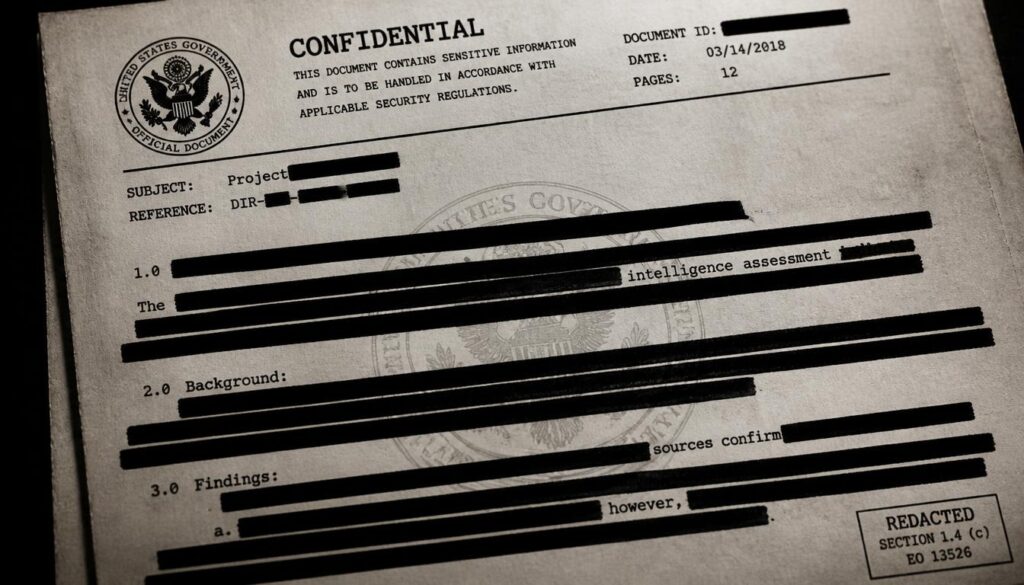
Government agencies face a slightly different version of the same problem. Public access is important, but unrestricted disclosure isn’t always appropriate. Records can contain personal information, investigative details, classified material, or other content protected by law.
Under the FOIA Freedom of Information Act, records may be released to the public while certain exempt information is withheld. This is often called FOIA redaction or government redaction. The public may receive a document with selected passages blacked out while the rest remains readable.
Agencies such as the FBI Federal Bureau of Investigation, DOJ Department of Justice, and IRS Internal Revenue Service may deal with records containing sensitive information in different contexts.
The exact rules depend on the record and applicable law, so seeing a redacted government document does not, by itself, tell you why every particular passage was hidden.
Sometimes the reason is privacy. Sometimes it involves an investigation. Sometimes it concerns national security or another legal exemption. A redacted page can look like a wall of black ink, but behind each missing section there should ideally be a documented reason for withholding it.
Why Are Documents Redacted?
There isn’t one universal reason for redaction, and that is actually what makes the practice more interesting than it first appears. The goal is generally to share useful information while limiting unnecessary exposure of sensitive information.
Here are common reasons a document may be redacted:
Privacy protection: Personal details such as addresses, dates of birth, or identification numbers may need to be hidden.
Identity protection: Personally identifiable information (PII) can expose people to fraud, harassment, or identity theft when unnecessarily disclosed.
Medical privacy: Patient data, medical records, and other PHI may require protection.
Financial security: Credit card numbers, payroll data, check numbers, and customer account details can be dangerous if exposed.
Confidentiality: Companies may need to protect R&D information, trade secrets, proprietary formulas, or internal strategy.
Legal requirements: Certain laws, court rules, contracts, or regulatory obligations can require information to be withheld.
Security concerns: Passwords, access credentials, infrastructure details, and similar material may create an avoidable risk.
Investigation protection: Records connected with investigations may contain information that cannot yet be publicly disclosed.
In other words, confidential information protection is often the practical heart of the redaction process. The document isn’t being hidden for the sake of being mysterious; ideally, only the information that truly needs hiding is removed.
What Information Is Commonly Redacted?
Think about the things you would not casually post on a public noticeboard. Those are often the same things that deserve attention during document review, although the precise requirements vary by situation.
Typical examples include names of minors, juvenile names, home addresses, dates of birth, medical records, financial information, signatures, email addresses, account numbers, and Social Security numbers. In corporate environments, customer account details, payroll information, confidential contracts, trade secrets, and internal communications can also be sensitive.
A legal team might redact information belonging to a third party. An HR department may need to protect employee information during an internal investigation. A financial institution could need financial data redaction, while a healthcare organization may require medical record redaction.
The key principle is proportionality: protect what needs protecting without turning the entire document into an unreadable black rectangle. Easier said than done, sometimes.
Redaction vs. Censorship: Are They the Same?
Redacted vs censored is a common search question, and the words overlap but carry different meanings. Redaction usually refers to removing or obscuring specific information from a document before it is distributed or released.
Censorship is broader and can involve restricting, suppressing, or preventing access to speech, media, publications, or other content.
For example, removing a person’s home address from a publicly released court filing is ordinarily described as redaction. Preventing an entire publication from being distributed because its content is considered unacceptable would more naturally be called censorship.
There can be complicated situations where the two concepts overlap, especially when authorities control access to information. Still, calling every hidden sentence “censorship” misses the practical privacy function of redaction. Sometimes the black box is simply protecting someone’s personal data, not silencing an idea.
How Does Document Redaction Work?
A proper redaction process begins with identifying the information that must be protected. Depending on the organization and situation, reviewers may search for names, numbers, addresses, keywords, or specific categories of sensitive information.
Modern systems can assist with PII detection, PHI detection, and sensitive-term detection. AI-powered redaction can help identify patterns across large document collections, while human reviewers may verify whether the suggested redactions are appropriate. This can be especially useful during litigation, audits, investigations, or large-scale records requests.
Once information is selected, the protected content should be permanently removed from the version intended for release. Secure workflows can include redaction tagging, classification tagging, approval workflows, review workflows, and audit trails so an organization can understand what happened and who reviewed it.
For large collections, bulk document redaction and automated document processing can reduce repetitive work. Tools such as iDox.ai Redact are examples of technology designed around automated and AI-assisted document processing, although organizations should still evaluate tools according to their own security, legal, and compliance requirements.
Why Black Highlighting Isn’t Proper Redaction
One of the most important lessons about secure document redaction is also one of the easiest to overlook: making text look hidden isn’t necessarily the same as removing it.
Imagine selecting text in a PDF, placing a black shape over it, and saving the file. To the eye, the information has disappeared. Technically, however, the original text might still exist underneath the shape.
Someone could potentially copy it, inspect the PDF structure, extract a hidden layer, or otherwise recover content that was never actually removed.
Other risky approaches include white text on white background, PDF layer masking, visual-only redaction, temporary masking, and font-color manipulation. These methods may conceal information visually without achieving permanent data removal.
Proper tools instead aim for irreversible redaction, where the underlying content is removed from the released document. Depending on the workflow, the output may involve flattened documents or image-based document export, followed by verification.
The exact technical method varies, but the objective remains the same: the hidden information should not remain secretly tucked inside the file.
Can Redacted Information Be Recovered?
The answer depends entirely on how the redaction was performed. Properly executed permanent redaction should make the protected information unavailable in the released copy. Poorly performed redaction, on the other hand, can sometimes leave recoverable material behind.
This is why questions such as “can redacted information be recovered?” and “can you undo redacted text?” don’t have a simple yes-or-no answer. If the underlying information was genuinely removed, recovering it from that released version should not be possible through ordinary document editing. If it was merely covered visually, the situation can be very different.
Potential problems can involve metadata exposure, hidden layers, document history, embedded objects, comments, or other remnants. A document can look wonderfully clean while still carrying little digital breadcrumbs around with it. That’s why verification matters almost as much as the redaction itself.
Redaction and Privacy Laws
Redaction frequently supports broader data protection laws and privacy obligations. Different jurisdictions and industries have different rules, so organizations should not assume that one redaction policy works everywhere.
The GDPR General Data Protection Regulation, for example, establishes a substantial framework around personal data protection in the European Union.
HIPAA Health Insurance Portability and Accountability Act is particularly relevant to protected health information in the United States. The CCPA California Consumer Privacy Act addresses privacy rights and personal information in California.
These laws do not simply mean “put black boxes on private data.” Compliance involves broader questions of data collection, processing, access, retention, sharing, security, and governance. Redaction can be one part of that larger privacy program.
Federal compliance and state compliance may also impose different requirements depending on the circumstances. For organizations handling large volumes of documents, a documented compliance workflow can make it easier to apply consistent rules rather than relying on someone’s memory on a busy Friday afternoon.
Common Redaction Mistakes
Redaction mistakes can be surprisingly ordinary. The technology might be sophisticated, but a human can still accidentally select the wrong area or forget one attachment.
Common mistakes include:
- Covering text without actually removing the underlying content.
- Forgetting to inspect document metadata.
- Missing sensitive information in images or scanned documents.
- Redacting one copy while accidentally sharing an unredacted duplicate.
- Failing to check headers, footers, comments, or embedded objects.
- Applying inconsistent redaction rules across a large document set.
- Skipping a second review for particularly sensitive files.
- Assuming that automated detection is always correct.
- Sharing an editable source file alongside a redacted version.
- Failing to verify the final exported document.
These mistakes show why redaction best practices include more than selecting text and pressing a button. Secure processing, review workflows, access control, document classification, and verification all contribute to better data security.
Redaction in Legal, Medical, Financial, and Corporate Work
Different industries have different reasons for reaching for a redaction tool. In law firms, litigation, contract review, subpoena responses, and external counsel document sharing can produce thousands of pages requiring review. A single missed identifier can become a needless problem.
Healthcare organizations have another obvious concern: patient privacy. Medical records can contain names, diagnoses, addresses, insurance details, and other information that shouldn’t be distributed beyond the intended audience.
Financial organizations deal with account numbers, payment details, payroll data, and other forms of confidential information. Meanwhile, businesses involved in M&A due diligence may need to share documents with potential buyers while protecting customer information, trade secrets, and sensitive commercial terms.
The common thread is simple: people often need to share some information without sharing all information. Redaction creates that middle ground.
How to Properly Redact a PDF
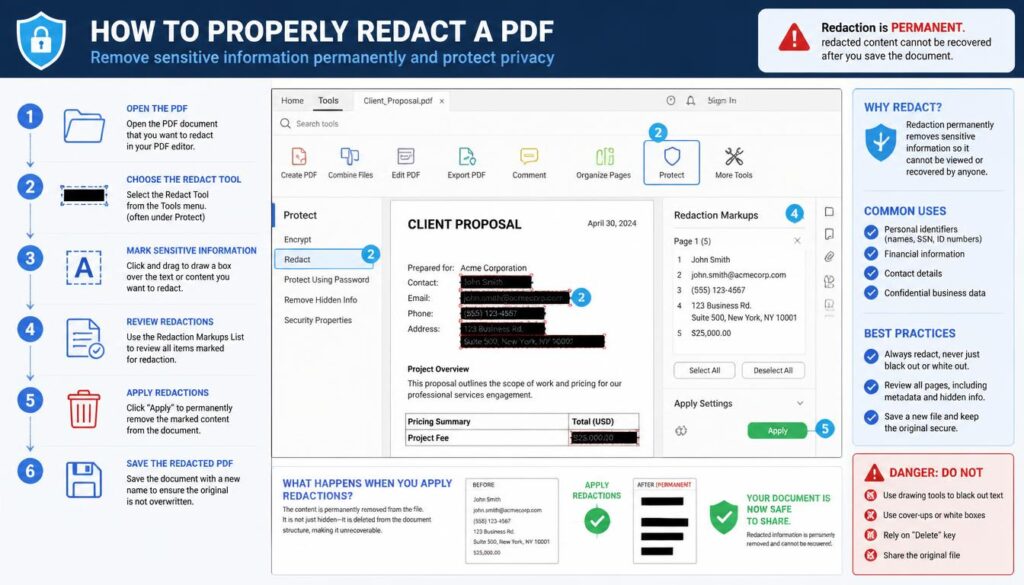
If you’re wondering how to properly redact a PDF, start by identifying exactly what information must be hidden and why. Don’t begin by drawing black shapes across the page and hoping for the best.
Use a purpose-built redaction tool or secure redaction software that actually removes content rather than merely covering it. Search for sensitive terms and identifiers, review every proposed redaction, and check both visible text and images.
After applying redactions, create the final release version according to your organization’s security process. Then verify that the information cannot be selected, copied, searched, extracted, or exposed through obvious document features.
Check PDF metadata, comments, attachments, hidden layers, and other potential sources of accidental disclosure where relevant.
For high-risk files, independent review is sensible. The more sensitive the document, the less attractive it becomes to rely on “it looks blacked out, so we’re probably fine.” Probably is not a security control.
AI-Powered Redaction and Automated Processing
The rise of AI-powered document redaction has changed how organizations approach large document collections. Instead of requiring someone to manually inspect every page for every possible identifier, automated systems can flag likely sensitive information for review.
AI and pattern-recognition systems may identify names, addresses, account numbers, PII, PHI, financial information, and other sensitive terms. This can speed up automated PDF redaction and large-scale document processing, particularly where thousands of files are involved.
Still, automation should not be treated as magic. Context matters. A word that looks like a person’s name may actually be a company name. A number may be an account number—or a harmless reference number. Human review and appropriate quality controls remain valuable, especially when the consequences of disclosure are serious.
A strong system can combine automated detection with approval workflows, audit trails, access control, classification, and final verification. That approach makes redaction less like a one-click trick and more like a controlled security process.
Redaction Best Practices for Safer Documents
Good redaction is ultimately a discipline of reducing unnecessary exposure. Whether you’re working with a two-page contract or millions of public records, the fundamentals remain fairly steady.
- Identify sensitive categories before beginning the review.
- Use actual redaction functionality rather than visual masking.
- Protect PII, PHI, financial information, credentials, and confidential business information when applicable.
- Review scanned documents and images, not only selectable text.
- Inspect metadata and hidden content where relevant.
- Keep access to original documents restricted.
- Use review and approval workflows for higher-risk releases.
- Maintain audit trails when accountability is required.
- Verify the final document before distribution.
- Train employees on common redaction mistakes.
- Keep the redacted copy separate from the original.
- Follow applicable privacy regulations and organizational policies.
These habits support unauthorized access prevention, information disclosure prevention, and broader privacy protection. None of them are particularly glamorous, but neither is explaining later why a confidential spreadsheet was accidentally sent to 900 people.
The Meaning of Redaction in Everyday Language
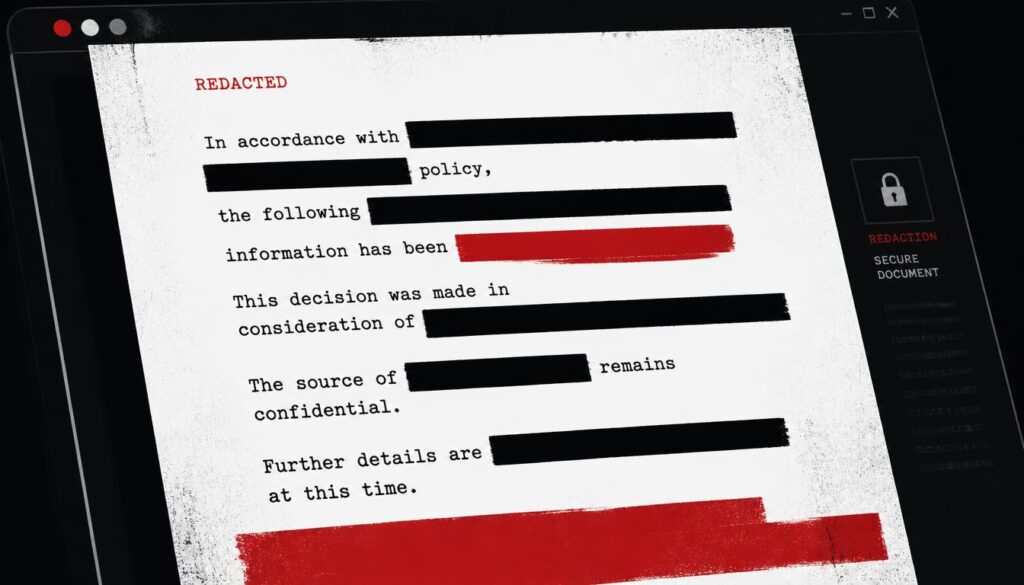
Outside legal and technical environments, “redacted” can also be used playfully. Someone might jokingly say, “My weekend plans are classified and heavily redacted,” when they simply don’t want to explain them. A friend may send a screenshot with a name covered and call it “the redacted version.”
The joke works because people understand the basic meaning of redacted: something exists, but part of it has been intentionally hidden. In everyday speech, it can suggest mystery, secrecy, privacy, or simply selective sharing.
But in professional settings, the word carries more weight. A redacted document is often part of a carefully managed information-sharing process.
Behind a small black rectangle may be a legal requirement, a privacy obligation, a security concern, or a person’s right not to have private details broadcast to strangers.
Frequently Aked question
Bilkul aapki H3 headings exactly same rakhte hue, har heading ke neeche 1–2 lines ka simple English answer:
nymph meaning
Nymph means a young, beautiful female nature spirit in Greek mythology, often associated with forests, rivers, mountains, or other natural places.
nymphs meaning
Nymphs are mythical female nature spirits believed to live in and protect beautiful natural places such as forests, springs, rivers, and mountains.
what does nymph mean
A nymph is a mythical female spirit of nature, usually described as youthful, beautiful, and connected with the natural world.
define nymph
To define nymph simply, it is a female nature spirit from Greek mythology that is associated with places like forests, rivers, mountains, and springs.
what is a nymph
A nymph is a supernatural female figure from ancient Greek mythology, traditionally linked to nature and often portrayed as a young and graceful spirit.
A Final Thought on What “Redacted” Really Means
At its heart, redacted meaning is about controlled visibility. Information does not always need to be destroyed completely, and it doesn’t always need to be revealed completely either. Sometimes the responsible choice is to share the useful parts while protecting the sensitive ones.
That idea is increasingly important as documents move between courts, agencies, hospitals, businesses, lawyers, employees, customers, and the public.
Document security, privacy compliance, and information security aren’t just technical concerns anymore; they’re part of everyday communication.
So, when you see a redacted document, remember that the blacked-out section is only the visible part of the story. Behind it may be a person’s identity, a medical detail, a financial number, a trade secret, an investigative detail, or something else that the recipient simply has no legitimate reason to see.
And that is really what a good redaction should accomplish: not secrecy for secrecy’s sake, but useful information shared with unnecessary risk left behind.
A well-redacted document says, quietly and without making much fuss, here is what you need to know, and here is what you don’t need to know. That’s a pretty sensible idea in an age when information has a habit of travelling farther than anyone intended.